CleanFeed — Hide Social Media Feeds
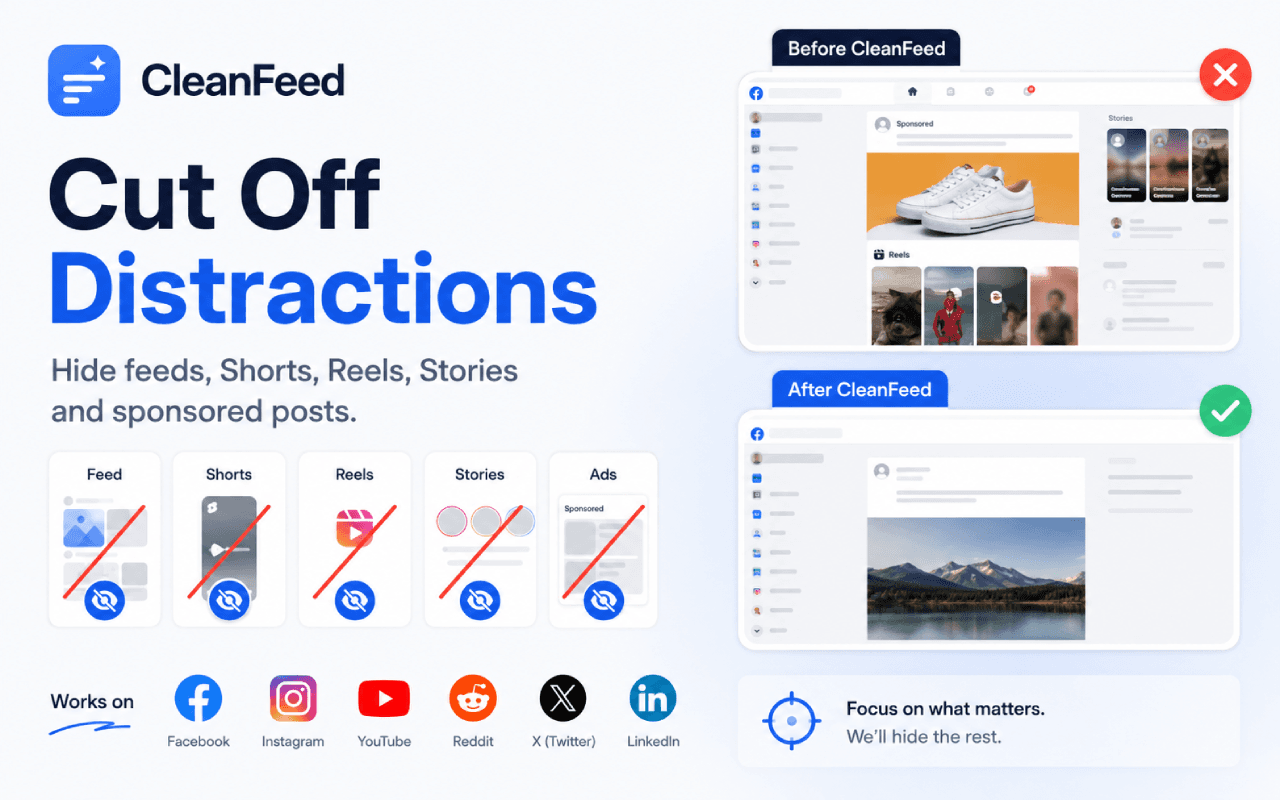
1+ Chrome userHide news feeds, Shorts, Reels, stories, suggestions and sponsored posts on Facebook, Instagram, YouTube, Reddit, X and LinkedIn — while the rest of each site keeps working.
What you can hide
- Hide the news feed on Facebook, Instagram, YouTube, Reddit, X and LinkedIn
- Turn off YouTube Shorts, end-screen suggestions, comments and live chat
- Hide Instagram stories and “suggested for you”, Reddit sidebars, X trends, LinkedIn news
- A switch per network and a switch per section — you decide exactly what disappears
- Pause everything for 5 minutes up to the rest of the day
- A quote appears where the feed used to be, instead of blank space
How it works
- Install it. All six networks start switched on.
- Open a supported site — the feed is already gone.
- Click the toolbar icon to open that network's switches and change what is hidden.
- Use the power button to pause hiding whenever you actually want the feed.
What it does not do
- It only hides. Nothing is deleted, posted, or changed on any account.
- Hiding is visual: the content is still delivered by the network, just not shown to you.
- A network redesign can temporarily break a selector; the extension reports that automatically so it can be fixed.
- Chrome 105 or newer is required.
Feed hiding FAQ
Is CleanFeed really free?
Yes. No account, no licence key, no payment, no daily limit, and no advertising.
Does it break the site?
No. Messaging, search, profiles and notifications keep working — only the sections you chose are hidden.
Can I hide just one thing?
Yes. Every network has its own list of sections, each with its own switch.
Does it collect my data?
No. It applies a stylesheet in your browser; it does not read or transmit page content.
Plan the cleanup before you start
How to Turn Off YouTube Shorts (All Three Places It Reaches You)"Not interested" is feedback, not a rule. The sidebar button everyone forgets, and the URL trick that plays a Short without the swipe loop.Complete guide →Social Media Feed Blocker vs. Account Cleaner: Which Do You Need?Choose between hiding distracting interface sections and permanently removing posts, messages, friends, or follows.Focused guide →How to Remove the For You Tab on X in a BrowserUnderstand feed hiding, browser support, and the difference between removing a tab and unfollowing accounts.Focused guide →Instagram Without the Feed: Hide Reels, Stories, and SuggestionsCreate a quieter Instagram setup while keeping messages, profiles, notifications, and search available.Focused guide →
